Pomofy, on your desk.
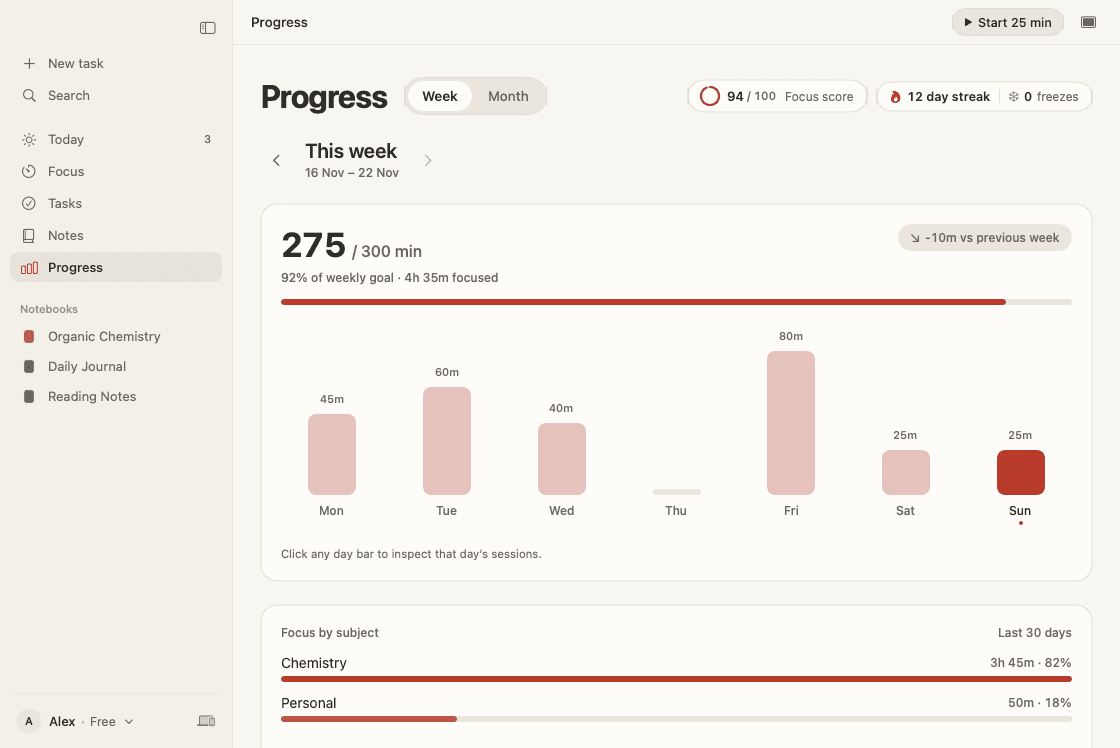
Your timer, tasks and notebooks in a native Mac app, using the same account as the website and Android.
Apple Silicon Macs · macOS 14.0+ · v0.2.0 · 7.0 MB · Free
In your menu bar
See the countdown at the top of your screen, and start, pause or reset a round from a quiet popover.
Same timer everywhere
Start a round on your Mac and your phone or the website shows the same time.
Tasks, notes and PDFs
Plan with keyboard shortcuts (⌘K, ⌘N, ⌘D), read your synced notebooks, and keep local PDFs close by.
Updates itself
New versions download quietly in the background. Click Restart to update when you’re ready, or check from the Pomofy menu.
First time opening Pomofy? Drag Pomofy into Applications, open it, and when prompted choose Open (or allow it in System Settings → Privacy & Security → Open Anyway). Direct builds are ad-hoc signed rather than Apple-notarized, so macOS may ask you to confirm opening after initial download or installing updates.
Ready for a calmer desk?
Apple Silicon Macs (M-series) only · macOS 14.0+ · Free